Case study · AI Productivity & Task Management App
Pulse
Helping people turn busy days into focused progress.
- Role
- UI/UX Designer
- Type
- Mobile App Design
- Industry
- Productivity / AI
- Year
- 2026
- Tools
- Figma
Problem
Managing tasks, schedules and priorities can become overwhelming when everything lives in different places. Pulse brings planning and execution together in one focused experience.
Approach
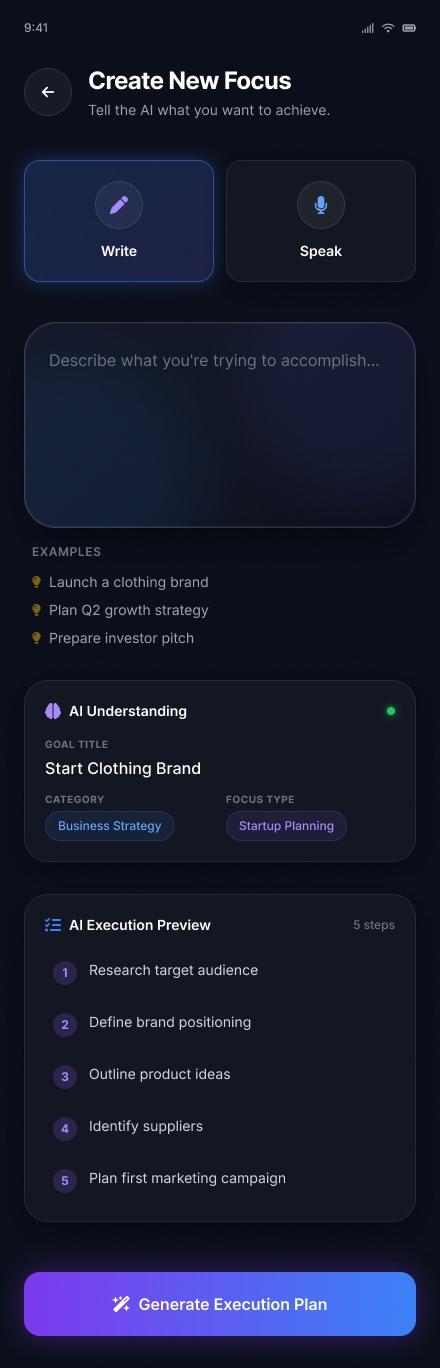
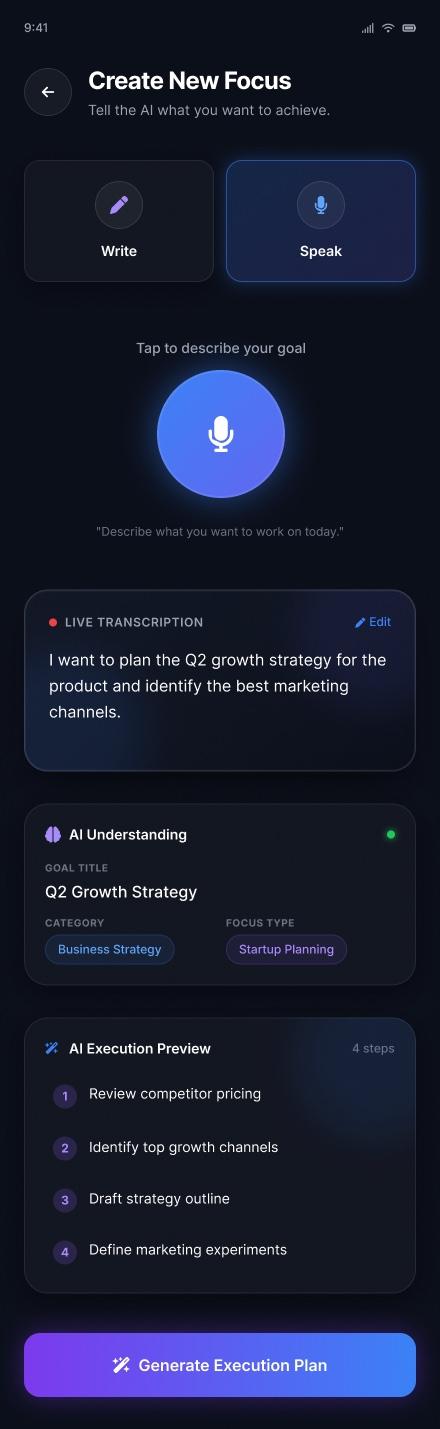
Pulse uses AI to help users organise their day, prioritise what matters, and stay focused while working through tasks.
Make the user's priority obvious.
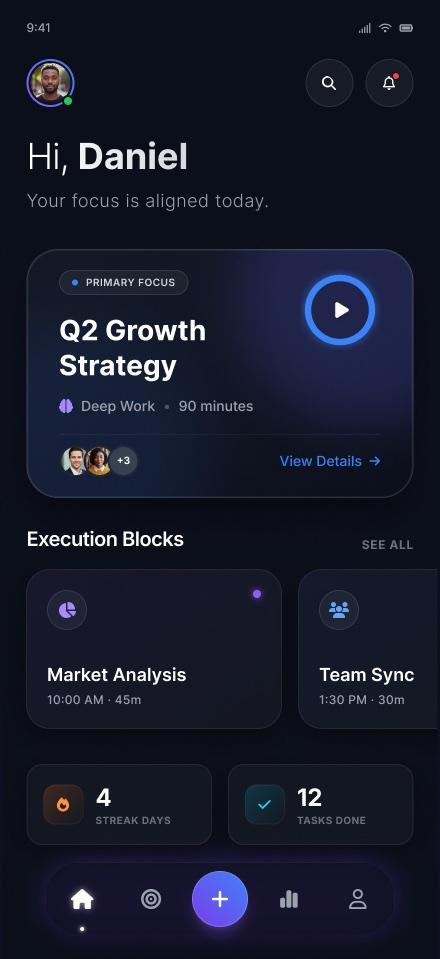
The primary focus is central to the home experience.
Turn planning into execution.
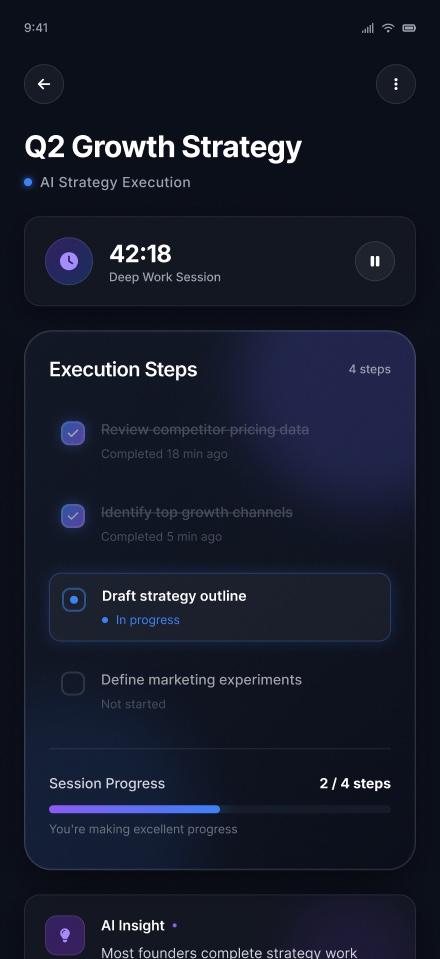
Execution blocks and focus sessions help users move from planning into action.
Keep progress visible.
Streaks, completed tasks, session progress and insights provide feedback.
Pulse was designed around a simple idea: productivity shouldn't just help you plan more. It should help you focus on what actually needs to get done.